Start with a two-minute test
Before buying anything, record a short clip in the app you normally use or ask a friend for a test call. Speak at your usual volume, pause while your room is quiet, and turn your head as you naturally would in a meeting. Listen for muffled words, echo, or steady background noise. Then look at the picture: can you see your face clearly, or is a window turning you into a silhouette? A quick test gives you a specific problem to solve instead of a shopping list.
Change one thing at a time and test again. Moving a lamp may improve your picture more than changing camera settings; moving your seat may improve your voice more than buying a microphone. Keep a simple setup you can repeat, such as the same chair position and lamp location, so you are not starting over before every call.
Get the microphone closer and the room quieter
Distance is one of the easiest sound problems to fix. A laptop microphone on the far side of a desk may pick up more of the room than your voice. Sit comfortably close to the computer, keep the microphone opening unobstructed, and avoid speaking toward a wall. If you already own wired earbuds or a headset with a microphone, compare them with the built-in mic. A microphone nearer your mouth may make your voice easier to hear, though quality varies by device.
Soft furnishings can help reduce the hollow sound of a bare room. Try calling from a space with curtains, a rug, cushions, or a bookcase rather than a nearly empty kitchen. Close the door if household noise is distracting, and move away from a fan or humming appliance when possible. In your calling app, check that the intended microphone is selected; plug-in headsets do not always become the active input automatically.
Use light you already have
The most useful lighting change is often to face a window rather than sit with it behind you. Daylight falling onto your face usually gives the camera more to work with, while a bright window in the background can leave your face dark. If direct sun looks harsh, move a little farther from the window or angle your chair so the light comes from slightly to one side. Watch how the light changes at the time you usually take calls.
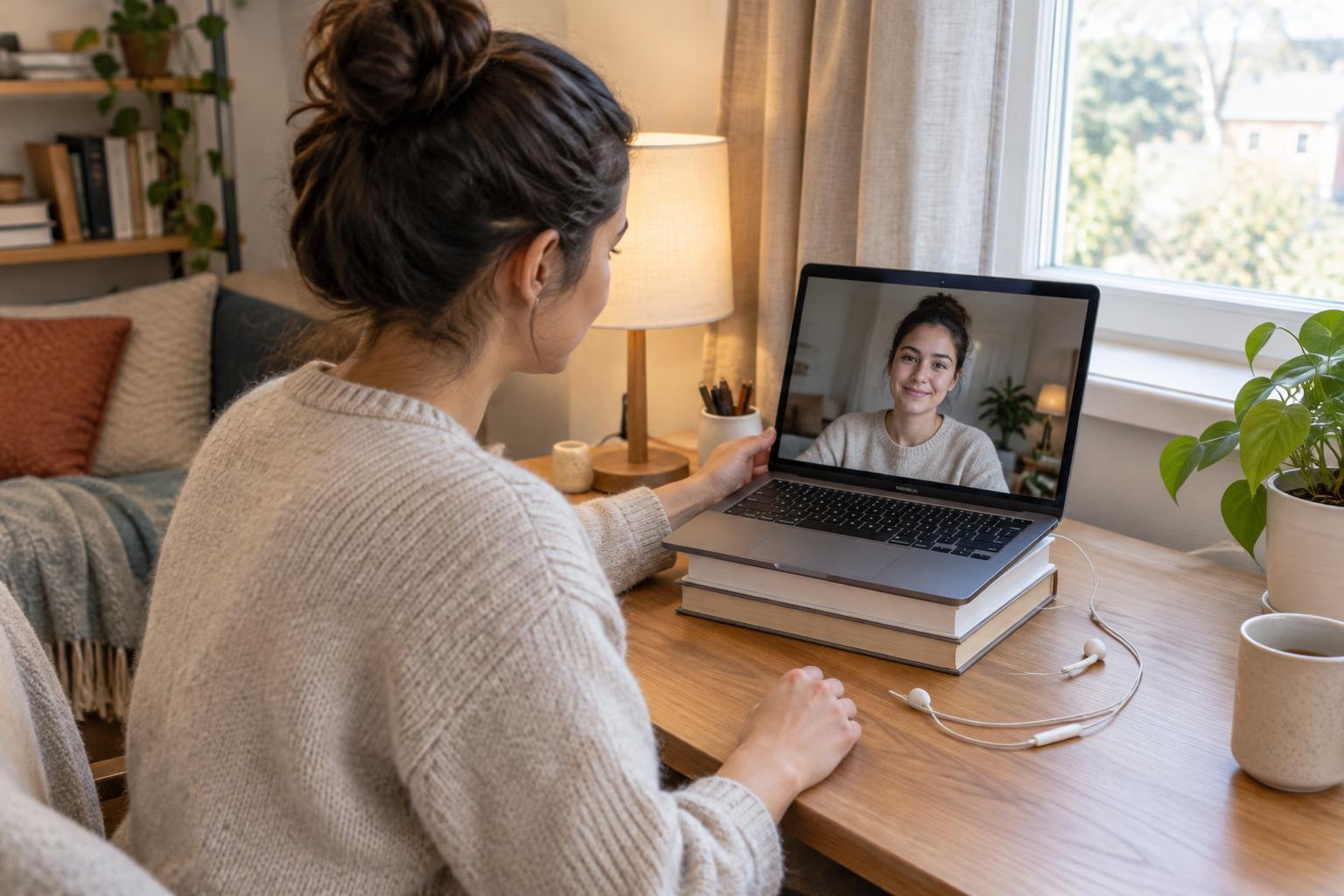
For evening calls, place a lamp in front of you and slightly to the side, near eye level if practical. Bounce its light off a pale wall or use a lampshade to soften strong shadows; keep fabric clear of hot bulbs. A lamp behind your screen often works better than a bright ceiling light directly above you. If one side of your face looks very dark, a second lamp may help, but try repositioning the first one before spending money.
Set the frame without crowding your desk
Raise your laptop or camera until it is roughly at eye level. A stable stack of books can do the job, provided the computer has room for ventilation and cannot slide. Frame your head and shoulders with a little space above your head, then sit back far enough that small movements do not take you out of view. Check what appears behind you: moving a drying rack or turning your chair may be simpler than arranging an elaborate backdrop.
Clean the camera lens gently with a suitable soft cloth, especially if the image looks hazy. If your app offers background blur, preview it before an important call; it can hide distractions, but it may also make hair or moving hands look odd. A tidy corner with light on your face is often more reliable than a complicated virtual background.
Spend only where a test shows a need
If your voice remains hard to hear after changing rooms and checking the selected microphone, a basic wired headset may be a useful first purchase. It keeps the microphone close and can reduce sound leaking from speakers into a call. Check that its connector works with your device before buying. If your picture is still dim after repositioning existing lights, consider a small adjustable desk lamp rather than assuming you need a new webcam.
Finish with a repeatable pre-call check: close noisy apps or windows, put your light in place, confirm the correct microphone and speakers, and glance at your camera preview. Use headphones and a private space when a conversation calls for discretion; better audio does not make a shared room private. The goal is not a studio-perfect image. It is a setup that lets people see and understand you without demanding a bigger budget or a longer routine.